Client Hub

Client

Portals

Client portals are the indispensable glue that binds businesses and customers together. With Betty Blocks, you can build a custom client portal, design your own branded interface without code, offer faster client onboarding, and make existing CRM software accessible to external users. Foster direct communication with your clientele and say goodbye to spreadsheets and email chains.

a very tall building with a blue sky in the background
  • Low-Code Power

  • Secure Access

  • Enterprise Scale

Build custom portals that bridge the gap between your data and your people. Create secure, high-performance hubs for employees, clients, or partners built in weeks, not months, without a single line of code.

a very tall building with a blue sky in the background
  • Low-Code Power

  • Secure Access

  • Enterprise Scale

Build custom portals that bridge the gap between your data and your people. Create secure, high-performance hubs for employees, clients, or partners built in weeks, not months, without a single line of code.

a very tall building with a blue sky in the background
  • Low-Code Power

  • Secure Access

  • Enterprise Scale

Build custom portals that bridge the gap between your data and your people. Create secure, high-performance hubs for employees, clients, or partners built in weeks, not months, without a single line of code.

Business Need

Why do businesses need a custom client portal?

While off-the-shelf portal software offers a quick solution, it doesn’t do a good job of impressing clients like a custom-branded portal does. Since portals are the means to give secure access to, often, sensitive information such as inventories, billing information, reports, and more, it is crucial to inspire confidence in external partners when using a client portal.

Environment

Branded UI and a familiar client environment

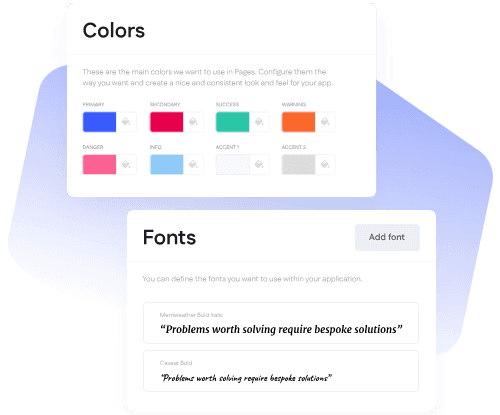
Thanks to the Theme Builder component, Betty Blocks allows you to seamlessly add custom branding and internal style guides to your portal design. This ensures that they collaborate in a familiar environment, fostering trust and a better relationship with your business. 

Image
Image

Customer Self-Service

Unlock customer self-service on a whole new level

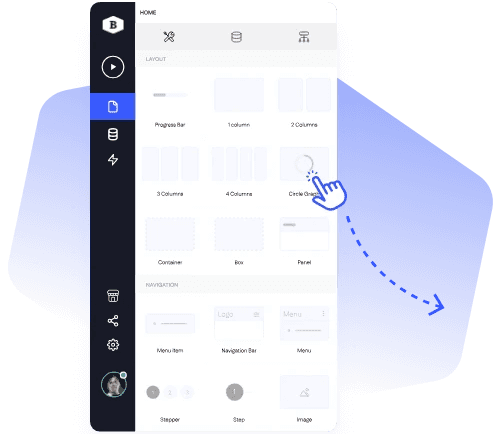
Unlocking self-service gives clients the autonomy that they expect from modern businesses.  Use our drag-and-drop Action Builder to create intuitive workflows for your users. This allows customers to log, edit, and update their business information without having to contact you directly. 

Secure Portal

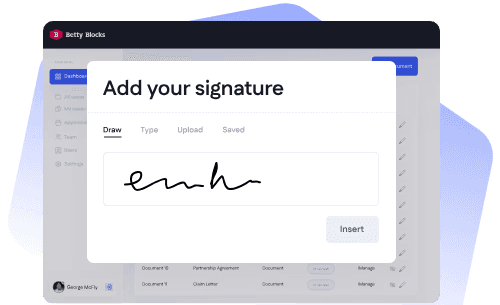
Create a secure portal for uploading documents

Enable secure file sharing between your business and customers directly from the client portal environment. Need clients to be able to sign documents on the spot? No worries. Just integrate the DocuSign API with your customer portal and receive real-time updates on pending and active contracts.
Image
Image

Unified Client Resource

Consolidate client management efforts

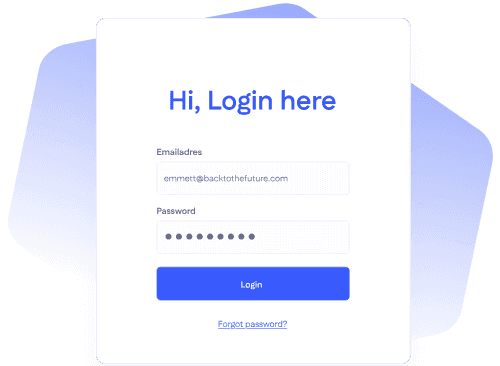
Build a solid resource database for your clients to help them get the hang of your services and products faster or troubleshoot their own problems without your in-house support needing to step in. Create personalized login flows to allow clients to create their own accounts using SSO and enable self-service password recovery.

Instant AI Generation

Generate your custom client portal with a single AI prompt

Describe for which audience you are creating your web portal, and watch Betty Genius deliver an AI-generated prototype instantly.

Connect with popular HR solutions such as:

Frequently Asked Questions

FAQ about building client and customer portals

What is a client portal?

A client portal is a secure digital gateway where organizations can share assets such as files, reports, contracts, and other resources. Moreover, client portals are used to offer extra services and direct communication between businesses and customers, increasing client satisfaction.

Is a client portal the same as a B2C portal?

Not necessarily. A client portal is the generic term for a secure gateway where external users can access internal resources. When a business creates a portal for its customers, it is a B2C portal. However, when a business creates a portal for the purpose of collaborating with other businesses, it is called a B2B portal. Curious which portal use case aligns with your needs? Schedule a personalized demo with us today!

Can I create a client portal for WordPress with low-code?

Yes, of course! A custom client portal made with low-code can be integrated with any CMS, such as WordPress, Drupal, or Wix. Simply create a Remote Model that connects with your backend API authentication to integrate your Betty Blocks application with your content management software.

Can I use Betty Blocks to extend my CRM with a client portal?

Sure! In the case that your current CRM doesn’t support a client portal, you can create one with our no-code/low-code platform and connect it with your system through a remote model API. You can also use Betty Blocks to spruce up existing client portals with a fresh look and feel.

How do I create a client portal without code?

The Betty Blocks platform comes equipped with nifty no-code templates and pre-built components that can be accessed through the Block Store. These integrated features allow users to build a full-fledged client portal without having to write a single line of code.

Can I get a demo on client portal development with Betty Blocks?

Yes, of course! You can schedule a free demo whenever you have a free moment with one of our platform solutioneers.

Get in touch

Stop waiting for your roadmap to catch up

Don't let a rigid ERP stall your AI roadmap. Use the Betty Blocks orchestration layer to build the portals and autonomous agents your core systems can't, at the speed of a prompt.

Get in touch

Stop waiting for your roadmap to catch up

Don't let a rigid ERP stall your AI roadmap. Use the Betty Blocks orchestration layer to build the portals and autonomous agents your core systems can't, at the speed of a prompt.

Get in touch

Stop waiting for your roadmap to catch up

Don't let a rigid ERP stall your AI roadmap. Use the Betty Blocks orchestration layer to build the portals and autonomous agents your core systems can't, at the speed of a prompt.

AI Speed. Enterprise Control.

Code that's yours.

© 2026 Betty Blocks. All right reserved.

All Systems: Operational

AI Speed. Enterprise Control.

Code that's yours.

© 2026 Betty Blocks. All right reserved.

All Systems: Operational