Build cloud-native and scalable applications with Betty Blocks on public and private hosting. Enjoy the benefits of cloud features such as flexible deployment and a robust web browser developer environment while continuously running the latest software version. Thanks to containerization support, such as Docker and Kubernetes, developers are free to orchestrate web applications to fit their software life cycle processes.

Architecture
Betty Blocks cloud-native architecture
The Betty Blocks platform is fully cloud-native, which is reflected in the way that users can build and maintain applications. Cloud infrastructure provides the flexibility, scalability, and cost-effectiveness for building modern applications on our containerized low-code platform. In contrast to a monolithic architecture, our multi-tenant structure means that resources are effectively provisioned to ensure consistent platform performance.
Cloud-Native
The Betty Blocks platform supports both no-code and low-code application development directly from your browser, so there is no need to download any software or put strain on hardware. Our cloud-native architecture supplies users with the necessary tools to reliably develop, scale, and maintain their solutions within a centralized environment. The enhanced flexibility of no-code/low-code development allows businesses to customize components, extend applications with microservices, orchestrate APIs, and integrate with standardized systems.
Reusability
Microservices support
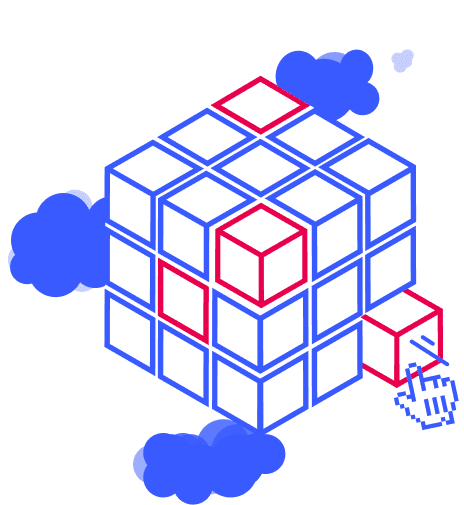
Microservices thrive in a cloud-native environment because both architectures are inherently scalable. The Block Store is our platform’s dedicated section for microservices, which extend and customize low-code applications. When developers create custom blocks, they are published in the Block Store as reusable components to augment any app. Developers are free to design which microservices interact with which application and segment them accordingly. This allows for individual scaling of software components, making it possible to deliver and maintain complex cloud-native applications at scale.
Citizen developers and business technologists can configure applications using pre-built blocks or custom blocks that developers have created for them, significantly reducing the risk of shadow IT practices or upsetting the organization’s IT infrastructure. Additionally, pre-built blocks serve as a speedy way for developers to add new features to their applications while maintaining a containerized architecture.
Lifecycle Control
My Betty Blocks environment
The My Betty Blocks dashboard is your organization’s central hub for application building and management. Our browser-based development environment allows for a collaborative app-building process from ideation to deployment. New projects are started by clicking the “Create application” button, which enables users to build a solution based on a pre-configured template or from scratch. A cloud-native platform enables users to work simultaneously on the same application while edits are displayed in real-time.
Applications in the development stage are hosted in sandbox environments, which allows for extensive quality assurance, version merges, and testing before they are moved to the production environment. Finalized applications built by your organization can be displayed in an App Gallery format, making them easily accessible to your employees. Platform admins use this space to streamline new user onboarding and configure governance settings to align with their operational structure.
Scalability
Multi-tenancy platform
Enjoy all the benefits of a cloud-native application development platform in a multi-tenant structure. Each organization operates within its own private section of the Betty Blocks platform, ensuring top-shelf security through data partitioning while serving a consistent user experience for all our customers.
Updates, patches, and new features will be instantly available to all Betty Blocks platform users. When building applications with Betty Blocks, IT managers don’t need to worry about server capacity or managing in-house data centers. The platform allocates resources to ensure a consistent user experience regardless of network volume. This provides a cost-efficient way of managing applications and allows developers to build low-code solutions without having to add load-balancing features.
Deployment
Public vs private cloud
Betty Blocks supports both public and private cloud environments, depending on your organization’s needs. Both options alleviate extra strain on in-house IT teams, as they don’t need to maintain physical servers to keep their applications running. With Betty Blocks, every user will enjoy the breadth of services associated with cloud computing, such as portability, scalability, and security, as well as zero server maintenance costs.
Our customers can request to migrate from a public cloud environment to a private or on-premise environment when the situation calls for it. This is especially beneficial to developer teams wishing to scale their applications horizontally, as a private cloud allows for broader customization. Likewise, an organization can opt for a private cloud environment from the start when purchasing a platform license. Whether you are running Betty Blocks on a public or private cloud, we will always ensure that both environments are running the latest platform version.

Modernization
Kubernetes and Docker containerization
By packaging microservices within containers on our low-code platform, organizations can support their legacy applications without resorting to rip-and-replace tactics. Similar to the Betty Blocks Embedded service, which allows for complete app customization, we also give developers the option to orchestrate custom containers to support their internal IT infrastructure. The same principle can be applied to non-legacy applications, where developers can assign clusters to support a consistent CI/CD pipeline across all application layers.
Because Betty Blocks always runs the latest version, it is well-suited to organizations that wish to implement Docker and Kubernetes into their cloud architecture. Containerized support allows developers to have full control over their low-code applications’ life cycle. Moreover, the added security of operating on a Betty Blocks private server while supported by Kubernetes clusters enables organizations to manage applications while adhering to compliance regulations.
Frequently Asked Questions
Got questions?
We've got answers.
How do I know that my applications are secure on the Betty Blocks platform?
The Betty Blocks platform upholds industry-driven cyber security standards, as showcased by our SOC 2 Type 2 attestation and ISO 27001 certification.
Can I opt for a single-tenant environment?
Yes, this can be done by installing Betty Blocks on a private cloud server.
Which versions of Kubernetes are supported by Betty Blocks?
We support Kubernetes v1.26 and v1.27.9
Where can I find a full overview of the technical requirements for Betty Blocks?
For a full overview of the technical requirements needed to run Betty Blocks, please refer to the documentation page.
What makes Betty Blocks a cloud-native low-code platform?
Betty Blocks is fully cloud-native, enabling teams to build, deploy, and scale applications directly in the browser without downloads. It supports public, private, and on-premises hosting, ensuring flexibility, security, and scalability. With containerization technologies like Docker and Kubernetes, applications can be orchestrated, scaled, and maintained efficiently across their entire lifecycle.
How does Betty Blocks support scalability and modern DevOps practices?
The platform uses a microservices and containerized architecture to enable independent scaling of application components. With built-in CI/CD support, Kubernetes orchestration, and Docker containerization, teams can automate deployments, ensure resilience, and continuously deliver updates while maintaining high performance and reliability.